
Showing posts with label Story Board. Show all posts
Showing posts with label Story Board. Show all posts
Monday, 30 June 2014
Front cover
Having printed off my front cover and looked at both that and the comic i have noticed that it is not the exact same colour background so i have changed this so that they are. Here is my final front cover,

Finished Comic
This is my final comic finished. I feel that the 2nd page is a little blank and the first page has a lot of text on.


Wednesday, 25 June 2014
Front Cover
For my comic strip/story board needs to have a front cover and from my designs i have chosen to have my characters back to back as it shows the tension between the characters before seeing the story or knowing what it is about.
Here i have moved the characters round to get the positioning right and central and also the tex aswell. Also i have tried different colours for the background to see what looks best and which colour makes the characters stand out more. I have tried the colour that i have used on my comic strips.


I have decided to go with this bottom one.
Sunday, 8 June 2014
I have photographed my characters and have used photoshop to make them better.
First I croppe the apply out of the paper it was drawn on and went onto levels to adjust the brightness and darkness. Then went on colour balance to darken the red of the apple and selective colour to add or take away any colours. At this moment I looked at the image and te hat blended into the apple so I needed to darken it. I went to filters and added the accented edges which made the lines thicker and murged the colours. Then I cropped the hat and copied it onto a new layer and used selective colour to darken the hat so it stop out more.


Monday, 2 June 2014
Illustrative Styles
To create a story board I need to research comic strips, books, cartoons and graphic novels.
Comic strips tend to take the format of boxes in a line like so...

Although some comic strips are not all in the strict format for example...

In the 20th century comics thrived in the US, France, Belgium and Japan.
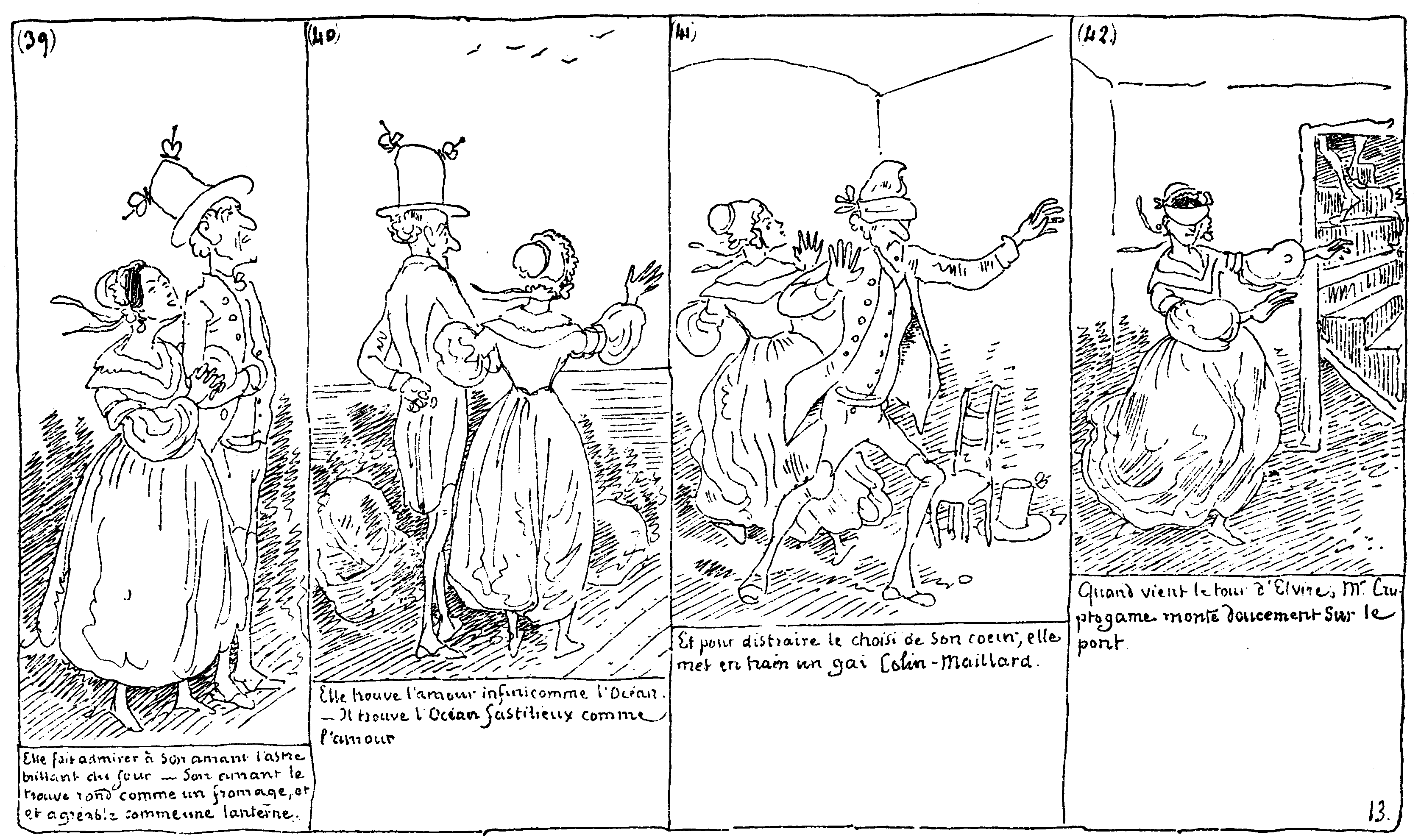
In the European comic history in the 1830's Rodolphe Topffer created cartoon strips. Here is an image of Histoire de Monsieur Cryptogame.
His strips became popular after Herge's success in the 1920's with The Adventures of Tintin. Here is an extract form Tintin in the land of soviets.

Comics today can be found in newspapers, books, magazines, on the internet, advertisements and posters.
Graphic novels are basically comic books. Libraries and bookstores separate comic book and graphic novels by whether the story's are continuous or not, if they are then they are stored as comic books and if not then graphic novels. The novels became more common around in the 20th century along with comic albums.Saturday, 31 May 2014
Animation - research
I am thinking to try and create a small animation along with my story board and I have looked into how to create a quick and easy animation and I got flip books. I have chosen a short simple on and the other because its time consuming and works really well.
Subscribe to:
Posts (Atom)